Note: Digital Business Cards now live at MyKard.link, Payxem’s sister product. Payxem itself focuses on Payments and Portfolio. The guide below has been updated to point to MyKard.link.
Paper business cards are nearly dead. Most of them end up in a drawer, a bin, or lost in a bag. Even the ones that survive expire the moment you change your phone number or your role.
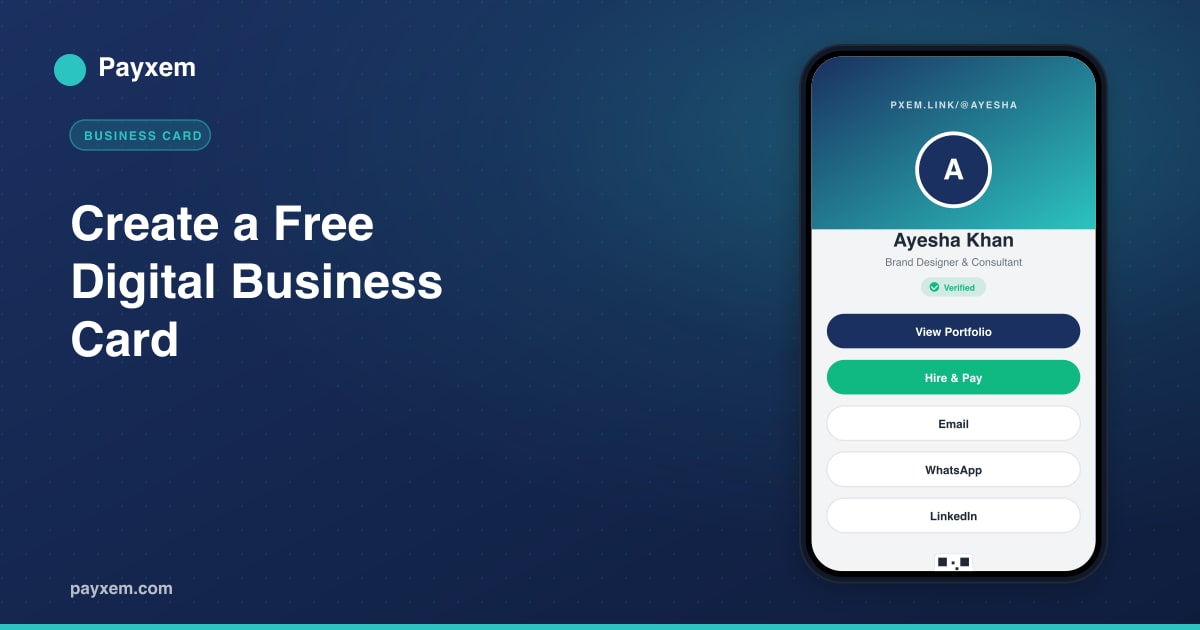
A digital business card fixes all of that. It lives at a single link, updates instantly, works on any phone, and can be shared over WhatsApp, email, or a QR code scan in under two seconds. With MyKard.link, your card connects directly to your portfolio, payment link, and contact details, so a new contact can move from “met you” to “paid you” without ever leaving the same screen.
This guide shows you how to build a free digital business card with MyKard.link at mykard.link, and how to use it to grow your network and your income.
What Is a Digital Business Card
A digital business card, also called an online contact card or digital vCard, is a lightweight web page that holds everything someone needs to know about you professionally:
- Your name and photo
- A short headline describing what you do
- Your contact email, phone, or WhatsApp
- Links to your portfolio, website, and social profiles
- A way to pay you or hire you directly
The link is shareable, the design is mobile-first, and the update is instant. When your rate, phone number, or role changes, you edit it once and every card you have ever handed out is already up to date.
Why a MyKard.link Digital Business Card Stands Out
There are plenty of digital card builders. What makes MyKard.link different is the platform around it.
Every MyKard.link user gets a short link at mykard.link/@yourusername that serves as the front door to everything else:
- Invoice and payment link built in via Payxem.
- Portfolio page linked directly from the card.
- Contact capture so visitors can save your details.
- QR code auto-generated for your card.
- Free forever, no subscription, no trial, no credit card.
One link, one identity, one simple system, with optional payments handled by Payxem when you’re ready to start invoicing.
Step-by-Step: Build Your Digital Business Card
Step 1. Create Your MyKard.link Account
Visit app.mykard.link and enter your email. A magic login link arrives in your inbox. No password to invent or forget. Sign up once and your card is ready to publish.
Step 2. Claim Your Username
Your digital business card URL will be mykard.link/@yourusername. Pick a username that matches how you are known professionally. Your name, your brand, or a short handle works well. Keep it short, memorable, and typeable on mobile.
Step 3. Add Your Profile Photo
A real photo outperforms a logo on a personal card every time. Use a head-and-shoulders shot with good lighting and a plain background. Aim for a square image at least 400x400 pixels. MyKard.link compresses automatically, so file size is not a concern.
Step 4. Write a Clear Headline
Your headline should fit on one line and describe what you do, for whom, or the outcome you deliver. Examples:
- “Brand Identity Designer for SaaS Startups”
- “Full-Stack Developer, Shopify and Next.js”
- “Marketing Consultant for D2C Brands”
Avoid generic titles like “Freelancer” or “Consultant”. A sharper headline attracts better contacts.
Step 5. Add Your Contact Methods
Pick the contact routes that actually work for you, not all of them. Three clean options is better than seven cluttered ones. Most freelancers do well with:
- Email for formal outreach.
- WhatsApp for quick client chat.
- Website or portfolio for deeper browsing.
Hide the channels you do not monitor. Nothing kills a first impression faster than an unread message.
Step 6. Link Your Portfolio, Payment, and Socials
Inside MyKard.link, link your business card directly to your free portfolio page at Payxem and your payment link so visitors can go from discovery to action in a single click. Add social profiles selectively: LinkedIn is universal, plus the one or two platforms where you actually post work.
Step 7. Highlight a Main Call to Action
Every card should have one clear primary button. The most effective options:
- Hire Me connects to your Payxem payment link, ideal for freelancers ready to close.
- View Portfolio directs visitors to your work, ideal if your portfolio does the selling.
- Book a Call links to a calendar tool, ideal for consultants.
Pick one. Secondary actions can live lower on the card. The primary CTA should be the first interactive element a visitor sees.
Step 8. Generate and Place Your QR Code
Your MyKard.link card comes with a QR code that resolves to your mykard.link URL. Use it for:
- Printed materials, conference badges, trade show posters.
- Email signatures.
- Video call backgrounds and webinar slides.
- Physical products or packaging.
Print it big enough to scan from a meter away. A QR under 2 cm square on a printed card is frustrating to scan. Aim for at least 3 cm.
Step 9. Share Your mykard.link Everywhere
Your card is only valuable when it reaches people. Share it:
- In email signatures on every outbound message.
- On WhatsApp status and Telegram bio so clients see it in passing.
- In LinkedIn contact info and at the top of your About.
- In proposals and quotes as your “learn more about me” line.
- On printed cards, packaging, and badges through the QR.
The more places your link lives, the more inbound conversations it starts.
SEO and AEO Tips for Your Digital Card
Even a personal card benefits from thoughtful metadata:
- Page title should include your name and role, for example “Ayesha Khan, Brand Designer”. Search engines and AI assistants both use this as the primary label.
- Short description under your headline should read like a sentence a human would say, not a keyword list.
- Alt text on your profile photo describing you by name.
- Consistent bio across your card, LinkedIn, and portfolio so AI tools can confidently connect them to the same person.
AI-powered search increasingly surfaces personal cards when someone searches “[your name] [your skill]”. A well-structured MyKard.link card with clear copy has a much better chance of showing up than a dozen scattered social profiles.
Design Principles That Always Work
A great digital business card is usually simple. Follow these principles and you will beat 90 percent of the cards out there:
- Fast load. Your card should open in under two seconds on mobile data.
- Readable without zooming. Minimum body text around 16 pixels.
- One brand color. Pick a primary color and use it consistently for buttons and highlights.
- Clear hierarchy. Name and headline first, contact second, actions third.
- Mobile first. Test it on your phone before you share it, not in a desktop browser.
Common Mistakes to Avoid
- Ten social icons in a row. Two or three that you actually use are far more effective.
- Vague headlines like “Digital Creator”. Be specific about what you offer.
- Old phone numbers or dead links. Audit your card every 60 days.
- No call to action. A card without a next step is just a contact list.
- Heavy background videos. They add weight and distract from the content.
Keep Your Card Fresh
A digital business card is a living document, not a printed snapshot. Every time one of these changes, update your card immediately:
- Your role or title
- Your primary service offer or rate
- Your preferred contact method
- Your latest project to feature
Because the URL never changes, every card you have ever shared now points to the updated version automatically. This is the biggest practical advantage over paper.
Final Thought
A digital business card is no longer a nice-to-have. For freelancers, consultants, and small businesses, it is the easiest way to present a professional identity online and to be discoverable both by people and by AI search tools.
With MyKard.link, you can build that card in a few minutes, connect it to your Payxem portfolio and payment link, and share it through one simple URL. There is no subscription, no hidden cost, and no setup fee.
Get started: Create your free MyKard.link account and publish your digital business card at mykard.link today. One link, one professional presence, ready to share everywhere you work.
Related reads: